Resume Templates
How to Choose the Right Resume Template for Your Industry (2026 Guide)
Your resume template isn't just about aesthetics — it determines whether ATS systems can parse your resume, whether recruiters can find key information in 6 seconds, and whether you look like you belong in your target industry. This guide breaks down exactly how to choose the right template for your field.
Why Your Resume Template Matters More Than You Think
Most job seekers pick a resume template based on how it looks. That's a mistake. Your template is a functional tool, and choosing the wrong one can silently kill your application before a human ever sees it.
Here's what's actually happening when you submit a resume: first, an ATS (Applicant Tracking System) parses your document, extracting text, identifying sections, and matching keywords against the job description. If your template uses tables, text boxes, or non-standard formatting, the ATS may misread your content or skip sections entirely. Your "creative" two-column layout might look great in PDF but read as garbled nonsense to the system.
Second, if your resume passes ATS screening, a recruiter spends an average of 6-7 seconds on their first scan. They look for your name, current title, current company, start and end dates, and education. If your template buries this information in unusual places or uses non-standard formatting, you're making their job harder — and they have 200 more resumes to review.
The right template solves both problems: it parses correctly in ATS systems and presents information in the order recruiters expect. Below, I'll show you exactly which template style works for each industry and why.
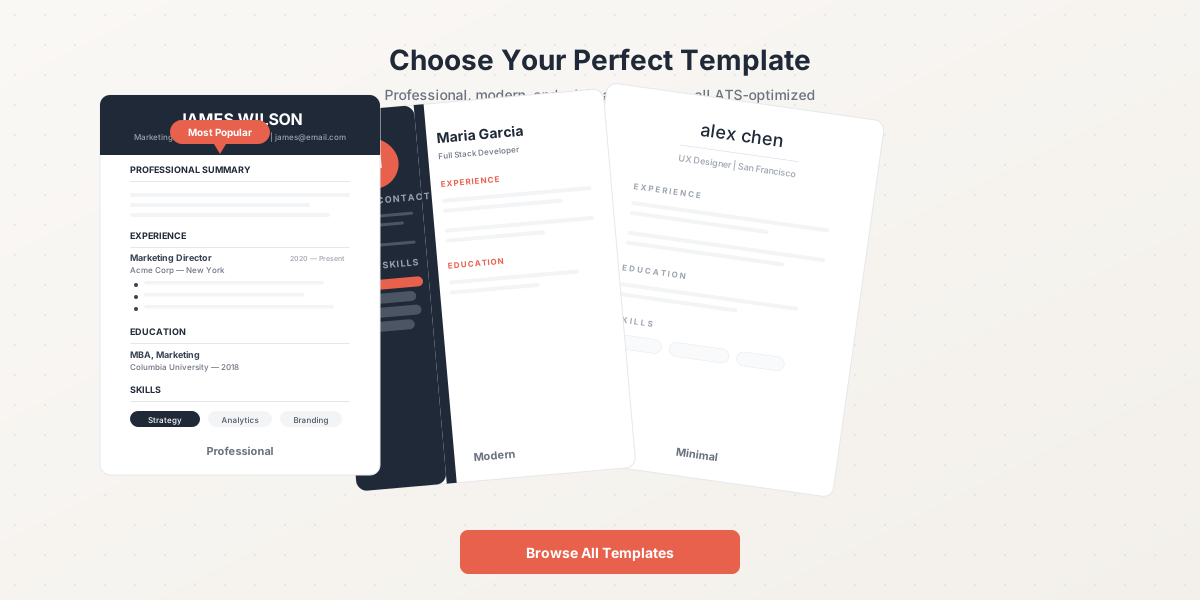
Three professional resume template styles — Professional, Modern, and Minimal — all ATS-optimized.
Resume Templates by Industry
💻 Technology / Software Engineering
Best template style: Skills-first, single-column
Emphasize: Technical skills, projects, GitHub links, system design experience
Avoid: Fancy graphics, multi-column layouts that confuse ATS parsers
💰 Finance / Banking
Best template style: Conservative, chronological
Emphasize: Quantified results, certifications (CFA, CPA), compliance experience
Avoid: Creative fonts, colorful designs, casual language
🎨 Creative / Design / Marketing
Best template style: Visual, portfolio-linked
Emphasize: Portfolio links, campaign metrics, visual hierarchy, brand work
Avoid: Overly plain templates — show your design sensibility
🏥 Healthcare / Medical
Best template style: Certifications-first, clinical
Emphasize: Licenses, certifications, clinical hours, patient outcomes
Avoid: Omitting required certifications or abbreviating them
📚 Education / Academia
Best template style: Publications-focused, detailed
Emphasize: Teaching philosophy, publications, grants, student outcomes
Avoid: One-page limits — academic CVs can be longer
📈 Sales / Business Development
Best template style: Results-driven, metrics-heavy
Emphasize: Revenue generated, quota attainment, pipeline metrics, deal sizes
Avoid: Vague descriptions — every bullet needs a number
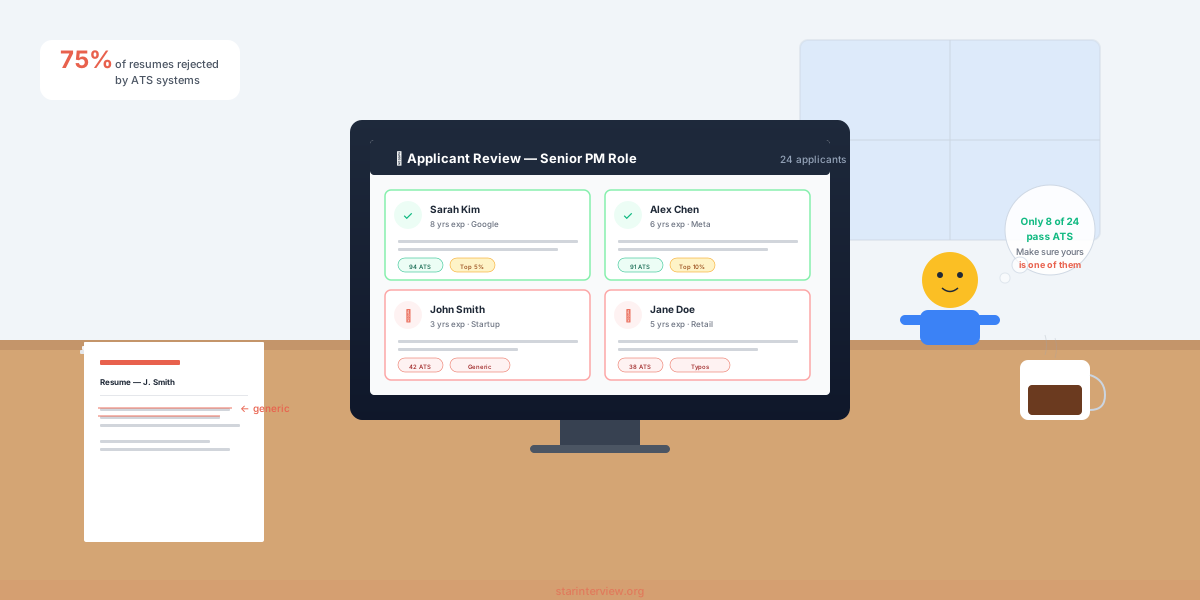
Hiring managers scan resumes quickly — your template needs to present key information where they expect it.
ATS Compatibility: The Non-Negotiable Checklist
Regardless of your industry, every resume template must pass ATS parsing. Over 98% of Fortune 500 companies and most mid-size companies use ATS to filter resumes before a human sees them. If your template doesn't parse correctly, you could be rejected without anyone reading your qualifications.
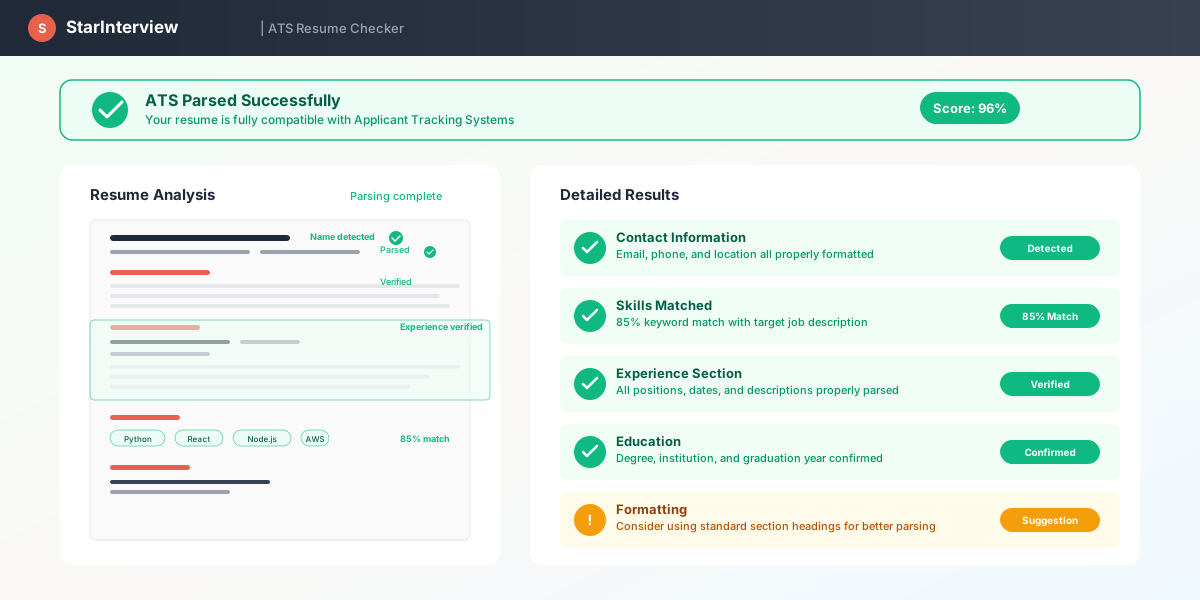
How ATS systems score your resume — keyword match, format parsing, and section structure all contribute to your score.
ATS-Friendly Template Checklist
- ✓Uses standard section headings: Summary, Experience, Education, Skills
- ✓Single-column layout (or clearly separated columns that parse left-to-right)
- ✓No tables, text boxes, or embedded objects for layout
- ✓Standard fonts: Arial, Calibri, Helvetica, Times New Roman
- ✓No headers/footers for critical information
- ✓Saves as PDF or .docx (not images, not .pages)
- ✓Includes keywords from the job description
- ✓Consistent date formatting (MM/YYYY or Month YYYY)
Every resume template on StarInterview passes this checklist by default. You don't need to worry about formatting issues — just focus on your content.
The Three Resume Formats (And When to Use Each)
📋 Reverse-Chronological (Most Common)
Lists your experience from most recent to oldest. This is the standard format that recruiters and ATS systems expect. Use this for 90% of applications.
Best for: Consistent career progression, same-industry applications, most corporate roles.
📊 Functional (Skills-Based)
Organizes content by skill category rather than chronology. Some recruiters dislike this format because it can hide employment gaps. ATS systems also parse it less reliably.
Best for: Career changers, freelancers with varied clients, significant employment gaps. Use sparingly.
🔀 Combination (Hybrid)
Starts with a skills summary, then follows with reverse-chronological experience. Balances skill highlighting with the timeline format recruiters prefer.
Best for: Senior professionals, career changers with transferable skills, technical roles where skills matter as much as titles.
When in doubt, go reverse-chronological. It's the safest choice and works across all industries and experience levels. The StarInterview resume generator defaults to this format and lets you adjust section ordering based on your industry.
Template Mistakes That Cost You Interviews
❌ Using a visually stunning template that breaks ATS
✅ Test your template with a free ATS scanner before committing. If your score is below 80%, switch templates regardless of how good it looks.
❌ Picking a template designed for a different experience level
✅ Entry-level resumes need more space for education and projects. Senior resumes need room for leadership and impact. Match the template structure to your career stage.
❌ Using the same template for every application
✅ Different roles may call for different emphasis. A template that works for a startup engineering role might not be ideal for a corporate finance position. Browse resume templates by industry to find the right fit.
❌ Over-customizing the template formatting
✅ Stick with the template's default formatting for fonts, spacing, and margins. Over-customization often introduces ATS-breaking elements accidentally.
How StarInterview Resume Templates Work
StarInterview offers 15+ free resume templates designed for different industries and career levels. Every template is built with three principles:
- ATS-first design: No tables, text boxes, or formatting that breaks parsers. Every template scores 90+ on ATS compatibility tests.
- Recruiter-friendly layout: Information appears where recruiters expect it — name and contact at the top, experience in reverse-chronological order, skills clearly listed.
- Industry-appropriate styling: Clean and conservative for finance, slightly more visual for creative roles, skills-forward for tech. The templates adapt to your field without sacrificing ATS compatibility.
You can pair any template with the AI resume generator for the fastest workflow: describe your target role, let the AI generate optimized content, choose a template, and download. The entire process takes under 15 minutes.
Don't forget your cover letter. A matching cover letter shows attention to detail and gives you space to explain things your resume can't — career pivots, relocation plans, or why you're excited about this specific company.
Related Guides
Now that you know how to choose a template, these guides will help you fill it with content that gets interviews.
AI Resume Builder Review 2026
We tested 5 AI resume builders head-to-head. See which one produces the best ATS-optimized output.
How to Write a Resume with No Experience
Building your first resume? This guide shows you how to structure it without professional experience.
Cover Letter Generator
Generate a tailored cover letter that matches your resume and the specific job posting.
How to Answer Tell Me About Yourself
Once your resume gets you the interview, nail the opening question with a strong elevator pitch.
Behavioral Interview Questions and Answers
Prepare for behavioral questions with STAR method examples for common scenarios.
Common Interview Mistakes to Avoid
Don't let these avoidable errors cost you the offer after your resume gets you in the door.
Browse Free Resume Templates
15+ ATS-optimized templates for every industry. Pair with our AI resume generator for a complete resume in minutes.
Browse Templates Free →Frequently Asked Questions
What is the best resume template format for ATS?
A single-column, reverse-chronological format with standard section headings (Summary, Experience, Education, Skills) performs best with ATS systems. Avoid tables, text boxes, headers/footers, and complex multi-column layouts. Use standard fonts like Arial, Calibri, or Times New Roman. All templates on StarInterview's resume template library are built with ATS compatibility as the top priority.
Should I use a different resume template for each industry?
Yes, the structure and emphasis should change by industry. Tech resumes should lead with a skills section and highlight projects. Finance resumes should be conservative and metrics-heavy. Creative fields allow more visual flexibility. Healthcare resumes need to feature certifications prominently. The core format stays the same (reverse-chronological), but section ordering and content emphasis should adapt to industry norms.
Are free resume templates as good as paid ones?
Free templates can be just as effective as paid ones — what matters is ATS compatibility, readability, and how well the template serves your content. StarInterview offers 15+ free resume templates that are all ATS-optimized and professionally designed. The main difference with paid templates from premium services is usually visual variety, not functional quality.
How do I know if my resume template is ATS-friendly?
Run your completed resume through a free ATS scanner like Jobscan or ResumeWorded. If your score is below 80%, the template may be the issue. Common ATS-breaking elements include: graphics and icons in the header, tables for layout, text boxes, columns that read out of order, and non-standard section names. If you're using a template from a reputable source like StarInterview, it should parse correctly.
Can I use a creative resume template for corporate jobs?
Generally, no. Corporate environments (finance, law, consulting, enterprise tech) expect conservative, clean resume formats. Creative templates with color blocks, infographics, or unusual layouts can signal that you don't understand professional norms in those industries. Save creative templates for design, marketing, media, and startup roles where visual presentation is valued.